
Your First Aviator Session Checklist
Aviator is a crash game by Spribe in which an increasing multiplier can end when the plane crashes. The game is not a slot and has no bonus round, so your first session should focus on understanding the round, choosing a controlled stake and knowing when to stop.
This checklist covers demo play, stake size, auto cash-out, limits, verification and common mistakes. It also explains the numbers behind the game, including the 3% house edge, the chance of reaching selected multipliers and the reason that prediction tools cannot change the result.
Understand The Round
Spribe launched Aviator in early 2019, and the game uses an increasing curve that can crash at any time. Each round normally lasts about 8 to 30 seconds, with 60 to 90 rounds available in an hour.
The crash point is fixed before take-off through a provably fair process. A server seed is published as a SHA-256 hash before the round, player client seeds are combined with it, and the inputs can be checked after the round through the verification tool inside the game.
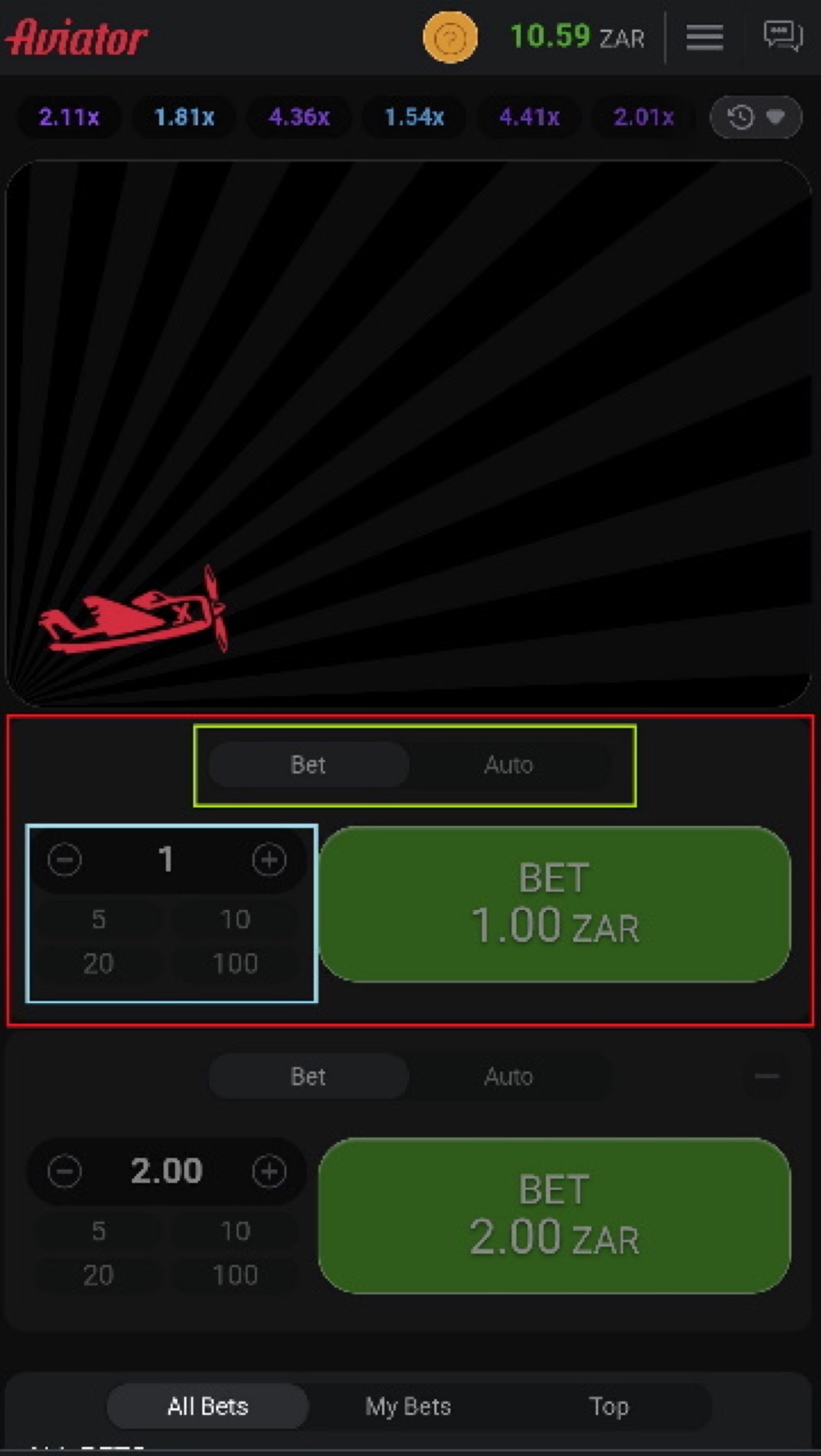
The mobile view shows the rising multiplier and the controls needed to place or cash out a bet.
- Open Aviator through an operator website or app.
- Check the round history at the top of the interface.
- Choose the Bet tab rather than Auto if you want to control each action yourself.
- Enter a stake before the next round begins.
- Watch the multiplier rise after take-off.
- Cash out before the crash if the multiplier reaches your chosen target.
- Use the verification tool after a round if you want to inspect its result.
The interface has two bet panels per round. Each panel can have a separate stake and cash-out, which allows two different targets, but it does not remove the house edge or make a loss impossible.
- A 1.2x target is reached in about 80.8% of rounds.
- A 1.5x target is reached in about 64.7% of rounds.
- A 2x target is reached in about 48.5% of rounds.
- A 5x target is reached in about 19.4% of rounds.
- A 10x target is reached in about 9.7% of rounds.
Start With Demo Mode
Aviator has a demo mode that needs no registration. The demo works on desktop, tablet and mobile browsers and is designed for low bandwidth and budget devices.
Demo play lets you learn the Bet and Auto tabs without using a real stake. It also lets you practise reading the multiplier, setting an auto cash-out and stopping after a fixed number of rounds.
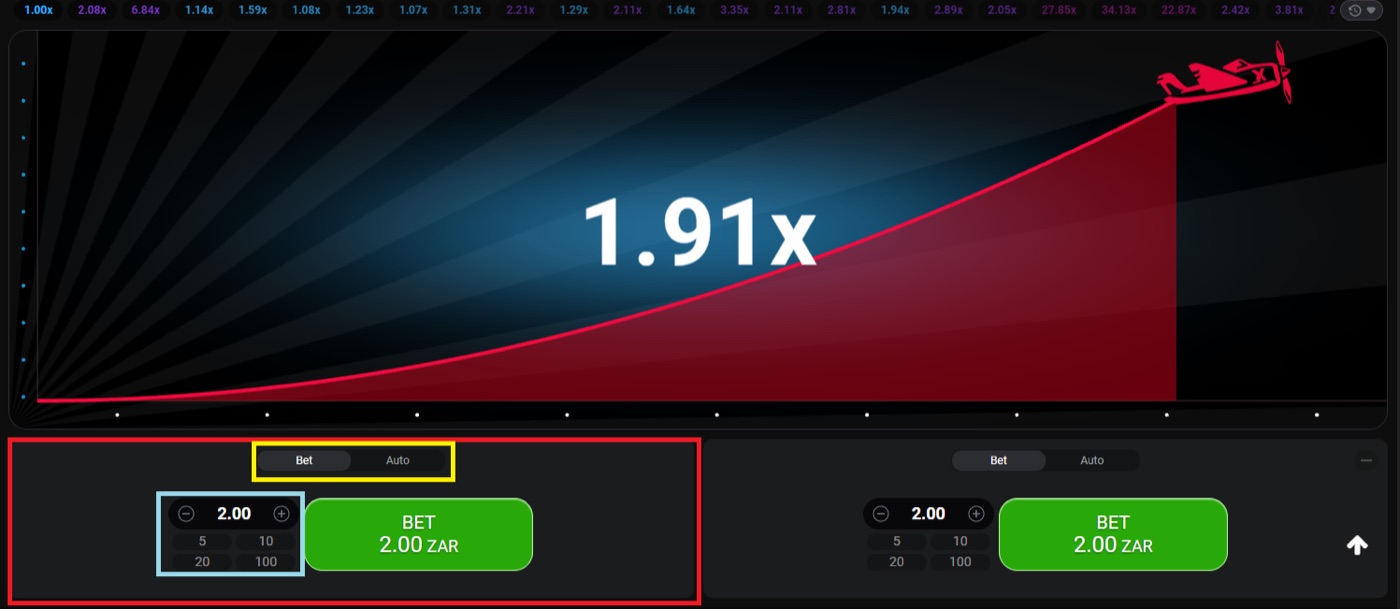
The desktop round shows a 1.91x multiplier and two bet panels for separate cash-out choices.
- Place a small demo bet and cash out manually.
- Place a second demo bet with a different target.
- Test the Auto Cash-Out setting before using it with a real stake.
- Watch how quickly a round can end at 1.00x.
- Practise checking the result after the round.
About 3% of rounds crash instantly at 1.00x, which is roughly 1 round in 33. Demo mode cannot predict those rounds, but it can show why a manual cash-out may not happen when the multiplier rises for only a few seconds.
Use the demo to learn the controls, not to prove that a staking plan works. The expected value remains negative when the game is played for real, regardless of whether the bet is manual or automatic.
Choose A Controlled Stake
Typical Aviator stakes range from about $0.10 to $100 per bet, but the available amount depends on the operator. Operator win caps also differ, so the stake menu and payout rules must be checked on the operator interface before play.
Aviator has a 97% RTP and a 3% house edge. At every cash-out target, the expected value is minus 3% of the stake, while different strategies change variance rather than changing the edge.
| Cash-out target | Chance of reaching it | Example with a $1 stake |
|---|---|---|
| 1.2x | 80.8% | $1.20 total return before the stake is considered |
| 1.5x | 64.7% | $1.50 total return before the stake is considered |
| 2x | 48.5% | $2.00 total return before the stake is considered |
| 5x | 19.4% | $5.00 total return before the stake is considered |
| 10x | 9.7% | $10.00 total return before the stake is considered |
For example, a $1 stake cashed out at 2x produces a $2 total return if the multiplier reaches 2x and the request arrives in time. A crash below 2x loses the $1 stake, and repeated rounds do not make the next result more likely to reach 2x.
Some strategy guides recommend risking no more than 2% of a bankroll per round. Treat that as a control rule rather than a way to overcome the 3% edge.
- Set a fixed session amount before opening the game.
- Choose a stake that you can lose without increasing it immediately.
- Keep the same stake during the planned session.
- Do not use money needed for bills or other commitments.
Responsible gambling means stopping when the planned time or money limit is reached. If a loss makes you want to raise the next stake, end the session.
Set Auto Cash-Out
Auto Cash-Out closes a bet at a preset multiplier when the round reaches that value. Auto Bet or Auto Play can run for 10 to 100 rounds and can include stop-on-win or stop-on-loss settings.
The common guide range for auto cash-out is 1.5x to 2x, while a 1.3x to 1.5x target wins roughly 65% to 75% of rounds. These figures describe frequency, not a guaranteed profit.
To use the feature, enter the stake, open the Auto tab and set the target multiplier. Check the displayed settings before confirming because the number of rounds and stopping conditions control how long the automatic sequence continues.
- Choose one fixed stake.
- Set an auto cash-out target such as 1.5x or 2x.
- Select the number of rounds, if Auto Play is enabled.
- Add a stop-on-loss amount if the operator interface provides it.
- Add a stop-on-win amount if you want the sequence to end after a gain.
- Review the active settings before the next round starts.
Two bet panels can be used for separate cash-outs. One guide approach places one bet at 1.5x to 2x and leaves the other for a higher target such as 5x to 10x, but that second target is reached less often and does not improve the expected value.
Cash-out requests must reach the server before the crash. A time-out can result from latency or a slow device, so an auto cash-out setting is not a promise that every request will complete.
If you are reading about a crash game, multiplier, cash-out or stake and want to aviator register, treat any registration page as separate from the game’s built-in controls and verification process.
Apply Session Limits
Aviator can provide 60 to 90 rounds per hour, with only a few seconds between rounds. This pace can make a small planned stake become a large total amount when a player keeps adding rounds.
Auto Play can cover 10 to 100 rounds, and the game includes stop-on-win and stop-on-loss settings. Those controls should be set before play rather than after a losing sequence.
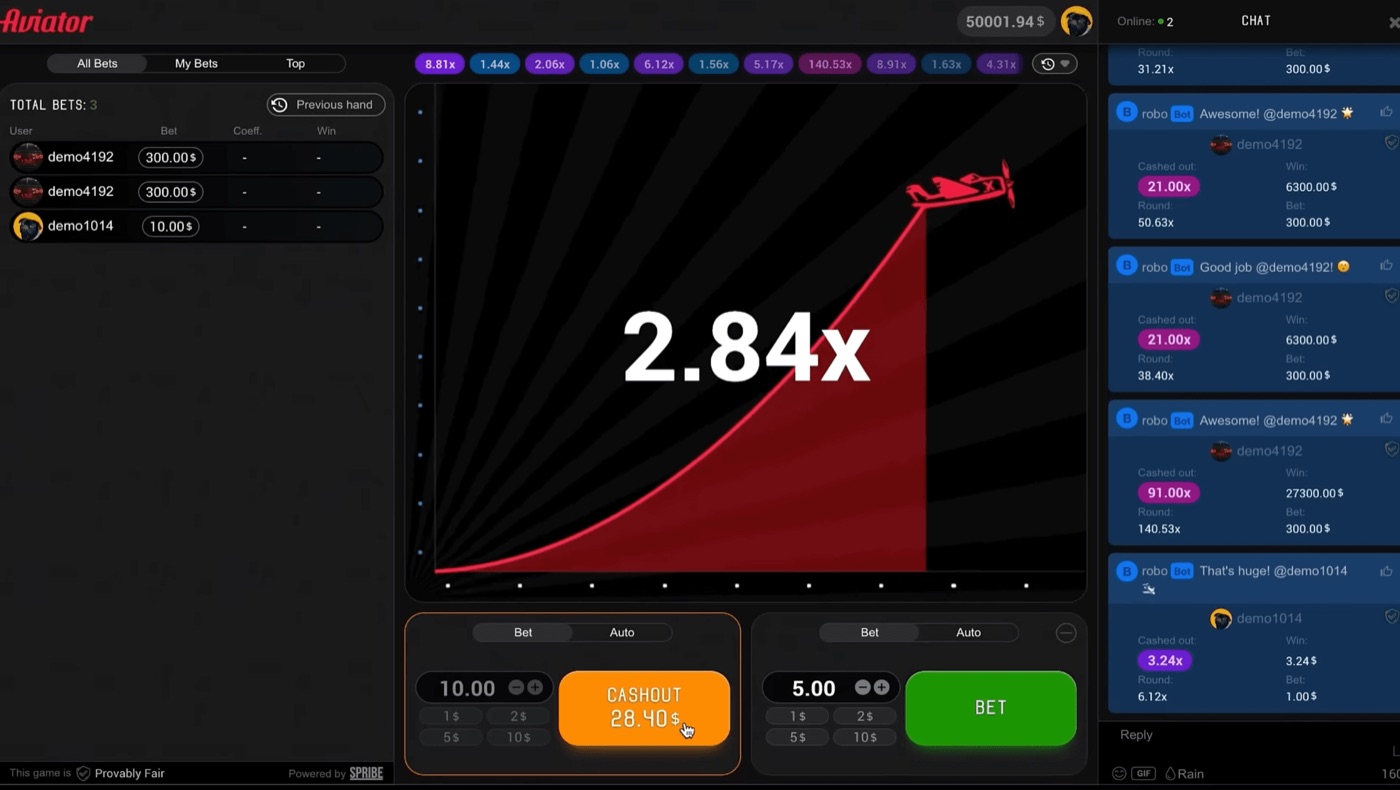
The full interface includes live bets, chat and a displayed cash-out at 28.40x.
- Set a maximum session deposit or spending amount.
- Set a maximum number of rounds.
- Set a stop-on-loss value before the first bet.
- Set a stop-on-win value before the first bet.
- Decide the end time before opening the game.
A two-bet approach can increase the total stake for one round because both panels use real money. If the planned stake is 2% of a bankroll, calculate that percentage across both bets rather than treating each panel as a separate allowance.
Do not chase a loss by raising the next stake. Martingale doubles the stake after each loss and reaches 1,024 times the base stake after 10 losses, while Fibonacci and D’Alembert do not beat the 3% edge.
Verify And Avoid Traps
The Provably Fair badge identifies the game’s verification process. The server publishes a hash before each round, the crash point is fixed before take-off, and the inputs are revealed after the round.
Neither the operator nor Spribe can change a result after the round starts. The verification tool inside the game lets players check the revealed inputs rather than relying on a prediction service or a chat message.
- Check the Provably Fair badge in the interface.
- Open the verification tool after a round.
- Compare the revealed inputs with the published hash.
- Remember that independent rounds do not form a pattern.
Aviator Predictor apps on Google Play, Softonic, Uptodown and APK mirrors are third-party clones. They may display virtual coins, no-real-value disclaimers or advertisements, and the names “Predictor v4.0”, “v8” and “v12” are marketing labels rather than Spribe products.
Telegram signal bots resell public mathematics. A predictor cannot know the next crash point because that point is committed by hash before the round, and a strategy chart or graph analysis cannot change the odds.
- Do not install a predictor APK to obtain a supposed cash-out signal.
- Do not treat recent multipliers as evidence about the next round.
- Do not assume off-peak play improves the odds; it may only provide a smoother connection.
- Do not confuse Rain Promo or operator free bets with a prediction method.
- Do not assume a displayed live bet proves that a strategy is profitable.
There is no standalone Aviator app from Spribe. The game runs inside an operator website or app, so use the operator’s stated login, payment and account-verification process instead of a separate download claiming to predict results.
Aviator FAQ
Aviator uses a 97% RTP and a 3% house edge. The game also uses a provably fair system that fixes the crash point before each round.
The first session should therefore test understanding and control, not seek a guaranteed result. Demo play, a fixed stake, an auto cash-out setting and clear limits address the main practical risks.
Can I play Aviator for free?
Yes. Aviator has a demo mode that needs no registration and works on desktop, tablet and mobile browsers. Demo play uses no real stake, so it is suitable for learning the Bet, Auto and verification controls.
Is Aviator predictable?
No. The crash point is fixed before take-off through the provably fair process, and the round inputs are revealed after the result. Patterns, previous multipliers, graph analysis and prediction bots do not change the odds.
What auto cash-out should I use?
Strategy guides commonly mention 1.5x to 2x. A lower target can be reached more often, but every target has a negative expected value of 3% of the stake, and the choice does not remove the house edge.
Why did my cash-out time out?
The cash-out request must reach the server before the crash. A time-out can come from latency or a slow device, so check the connection and remember that auto cash-out cannot complete after the crash has already occurred.
Does Aviator have an official predictor app?
No standalone official Aviator app from Spribe provides prediction. Apps using names such as Aviator Predictor are third-party clones, and Telegram signal bots cannot know the committed crash point before the round.

