
Aviator Cash-Out Timing and the Server Explained
Aviator cash-out timing has two parts. The first part happens on your device when you press a button. The second part happens when the server receives and accepts the request before the round crashes.
A pressed button is not a settled bet. The multiplier can keep rising on your screen while the cash-out request travels to the server. If the crash happens first, the request does not settle the bet at the earlier number shown on your device.
How Aviator Settles Bets
Aviator is a crash game built around an increasing curve that can crash at any time. Each round lasts about 8 to 30 seconds, with 60 to 90 rounds possible in an hour.
The crash point is fixed before take-off. The server publishes a SHA-256 hash of its server seed before each round, and player client seeds are combined with it.
The result is not decided by the visible curve alone. The curve shows the round as it develops, but the server controls the event that matters for settlement. A cash-out request must arrive before that event.
When you cash out manually, the game sends a request from your browser or app to the server. The server checks the request against the current round. If the request arrives while the round is still active, the bet can settle at the accepted multiplier.
If the request arrives after the crash, the bet does not settle at the multiplier that was visible when you pressed. This explains why a player can see 2.00x, tap cash-out, and still receive no cash-out if the server receives the request after the crash.
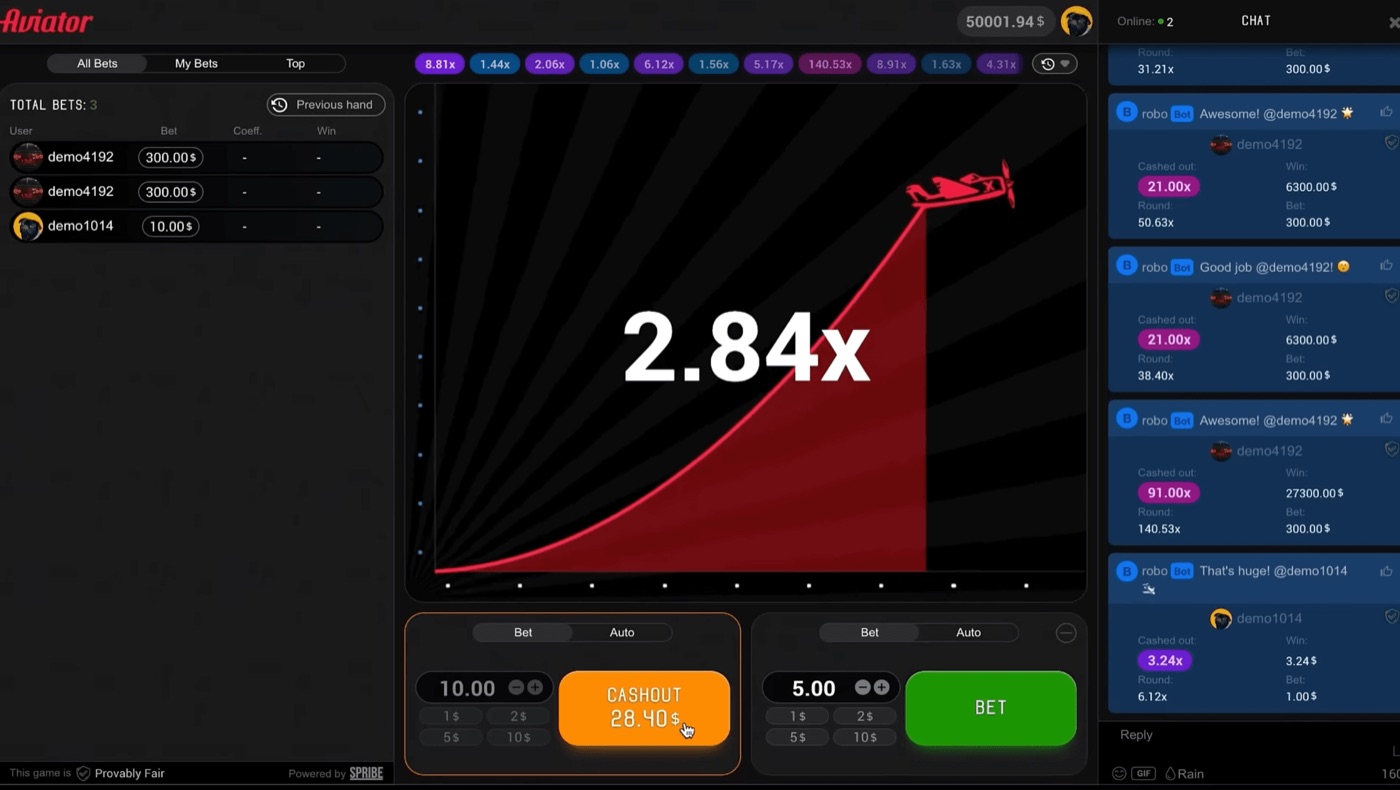
Aviator shows live bets, chat and a cash-out at 28.40.
- The round starts and the curve rises.
- You press the manual cash-out control.
- Your device sends the request through the connection.
- The server receives and checks the request.
- The bet settles only if the round has not crashed.
Aviator uses a Provably Fair system for the crash result. Inputs are revealed after the round, and the result can be checked with the verification tool inside the game. Neither Spribe nor the operator can change the result after the round starts.
Manual Cash-Out Timing
Manual cash-out depends on one action: you press the cash-out control during the live round. The server then receives that request after it has travelled through your device and connection.
A round can crash at 1.00x, and about 3% of rounds do so instantly. That gives a manual request very little time when the crash occurs near the start.
The multiplier on your screen is not a settlement receipt. It is a display of the game state received by your device. Your screen can show a slightly older state than the server has at that moment.
Request travel time includes several stages. The device must register the tap. The browser or app must send the request. The connection must carry it to the server. The server must process it and return the result.
- A slow device can register the tap late.
- A weak connection can delay the outgoing request.
- Network congestion can delay travel in either direction.
- A browser or app can take time to respond to the input.
- The round can crash during any of those stages.
These delays are usually measured in fractions of a second, but the exact timing matters in a fast crash game. A request that leaves your device before the crash can still arrive after it. The relevant point is server receipt, not the moment your finger touches the screen.
For the same reason, a cash-out time-out does not prove that the game changed a settled result. Guides describe time-outs as a possible result of latency or a slow device. The request must reach the server before the crash.
Manual play gives you direct control over the moment of the request. It also exposes you to input delay, reaction time and changing connection conditions. A player who waits for a displayed 2.00x may not settle at 2.00x if the request arrives later.
Responsible gambling means setting a loss limit before playing and stopping when that limit is reached.
Auto Cash-Out Requests
Aviator provides an Auto Cash-Out control that uses a preset multiplier. The server still settles the bet; the setting does not remove the need for a valid server request.
Aviator also provides Auto Bet and Auto Play settings for 10 to 100 rounds. These tools automate selected actions, but they do not change the fixed crash point or the 3% house edge.
With manual cash-out, you decide when to send the request. With auto cash-out, the game sends the request when the round reaches the chosen condition. The request still has to reach the server while the round is active.
Suppose the preset is 1.50x. If the round reaches 1.50x and the request arrives in time, the bet can settle at that target. If the round crashes before the request is accepted, the bet does not settle at 1.50x.
| Method | Trigger | Timing risk |
|---|---|---|
| Manual cash-out | Player presses the control | Tap, device and connection delay |
| Auto cash-out | Preset multiplier condition | Request still needs server receipt |
| Auto Play | Selected automated round actions | Does not change the crash result |
Auto cash-out can reduce the need to react to a moving curve. It cannot guarantee that every target will settle. The server remains the point that accepts or rejects the request against the round state.
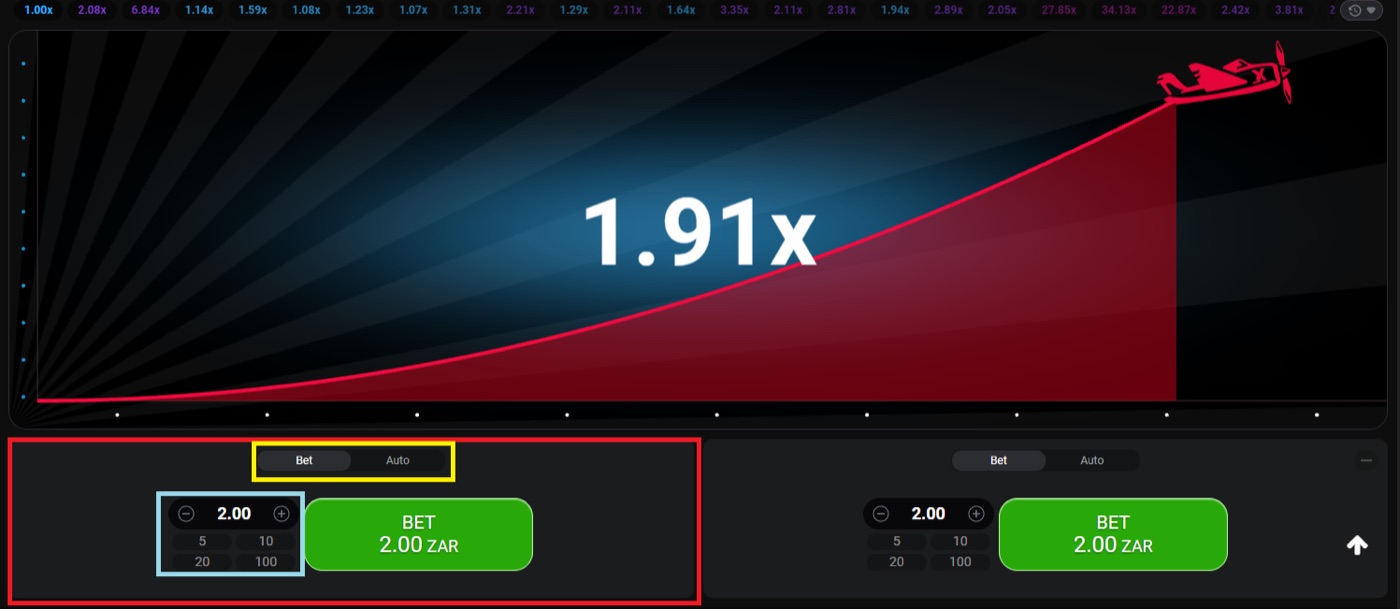
The desktop round shows 1.91x and two separate bet panels.
- Choose the target before the round begins.
- Check that Auto Cash-Out is enabled on the intended bet panel.
- Confirm the stake before the round starts.
- Watch the settled result rather than only the displayed multiplier.
Aviator has two bet panels per round, and each panel can have a separate cash-out. That makes it possible to use different targets on two stakes, but it does not alter the server timing for either request.
Connection And Device Delay
Aviator works on desktop, tablet and mobile browsers. Spribe designed it for low bandwidth and budget devices, but the player connection can still affect request travel time.
The game can show 1.91x on a device while the server is already processing the next event. A visible multiplier is therefore useful for viewing the round, not proof that a cash-out request has been accepted.
Players often focus on the button because the tap is visible. The less visible part is the return message from the server. Until the game confirms the result, the bet remains exposed to the crash.
Connection conditions can change between rounds. A few seconds may separate one round from the next, but a short gap does not guarantee that a device or network is ready for the next request.
- Use a connection that is stable enough to keep the round display current.
- Keep the game open on a device that responds to taps normally.
- Avoid treating a delayed screen update as a server confirmation.
- Read the settled bet result after using manual or auto cash-out.
These steps do not improve the mathematical odds. The probability that a round reaches multiplier m is 0.97 divided by m. The probability is 64.7% at 1.5x, 48.5% at 2x and 19.4% at 5x.
Changing the target changes variance, not the edge. Aviator has an RTP of 97% and a house edge of 3% at every cash-out target. Timing can affect whether a request settles, but it cannot turn a negative expected value into a positive one.
Players researching a crash game, multiplier or cash-out may see an aviator apk download mentioned in gambling discussions. Spribe does not provide a standalone official Aviator app, and the game runs inside an operator website or app.
Reading The Settlement Result
Aviator provides two bet panels with separate cash-outs. The interface also includes live bets, round history, chat and a Provably Fair badge.
The round history shows previous multipliers, while the live bet panels show current activity. Neither display changes the server rule that a cash-out request must arrive before the crash.
A player might see a cash-out control disappear or a bet appear in a live panel. Those interface changes are not the same as a confirmed settlement unless the game records the accepted result.
The verification tool serves a different purpose. It checks the crash result after the round by using the published hash, the revealed inputs and the combined seeds. It does not make a late cash-out request valid.
- Check whether the bet shows a settled cash-out amount.
- Compare the settled amount with the recorded round result.
- Use the Provably Fair tool to check the crash point when needed.
- Separate a display delay from a confirmed server result.
A complaint that a cash-out timed out can have a technical explanation. Latency or a slow device can delay the request, and the request can miss the crash even when the player pressed before seeing it.
Aviator rounds are independent. Previous multipliers do not create a safer next round, and graph analysis does not change the time needed for a request to reach the server.
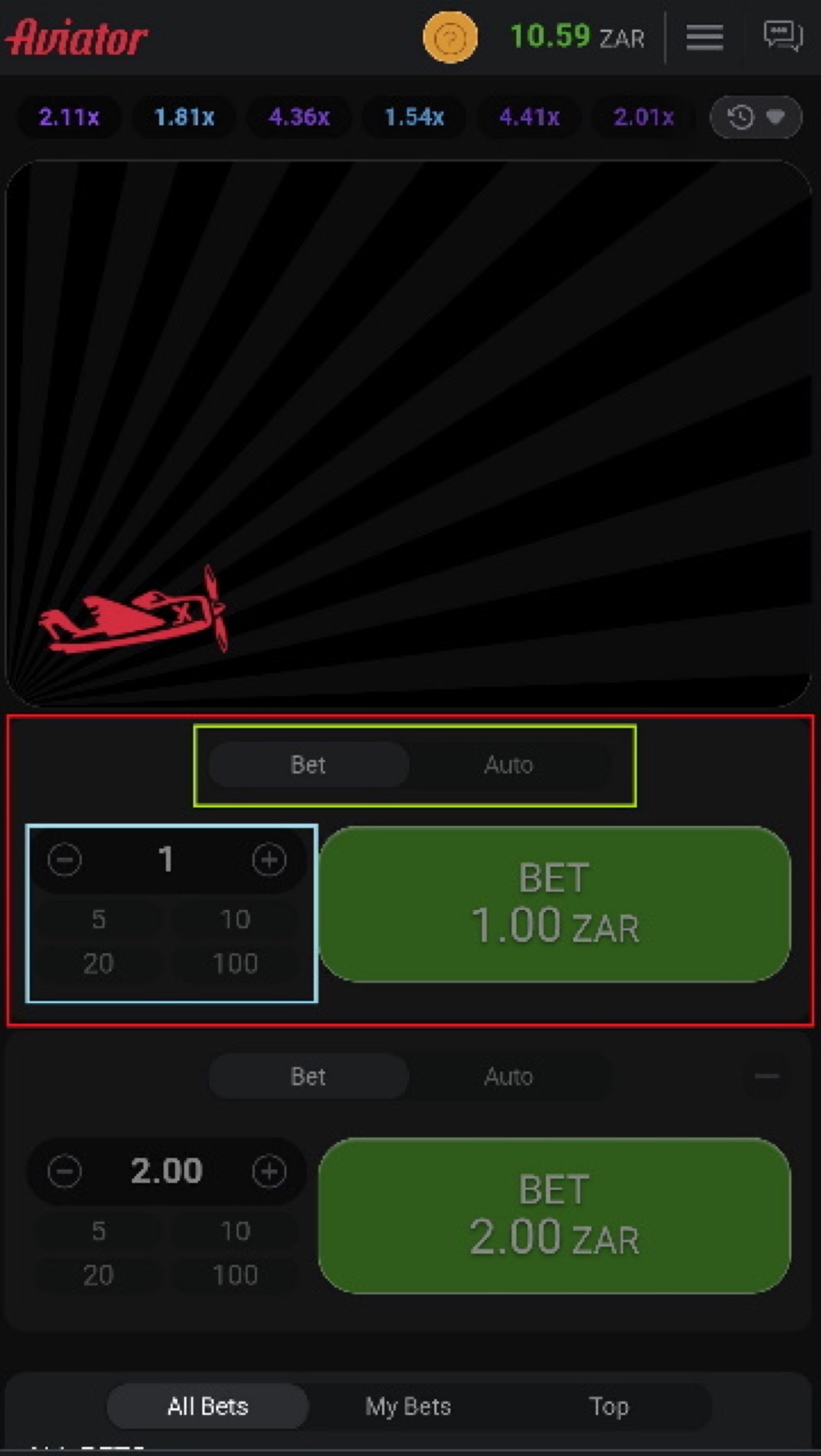
The mobile view places the Aviator controls on a phone screen.
Practical Cash-Out Checks
Aviator offers manual and auto cash-out in the same round interface. A player can use separate cash-outs on the 2 available bet panels.
Typical stakes range from about $0.10 to $100 per bet, but the amount depends on the operator. The stake does not change request travel time or the server’s crash point.
Before a round, check the selected panel, stake and cash-out method. During a round, treat the control as a request, not as proof of settlement.
- Confirm the correct bet panel before placing the stake.
- Check the target when using Auto Cash-Out.
- Leave enough time for manual action rather than waiting for a precise screen number.
- Look for the accepted settlement after the request.
- Do not assume a failed request was accepted because the button changed.
Demo mode is available through an operator demo or demo.spribe.io and needs no registration. It can help a player observe the interface and the difference between a visible multiplier and a settled result without using a real stake.
Demo mode does not remove the need to understand live request timing. A real-money bet still depends on the operator’s service, device, connection and server communication.
Do not use a predictor to solve this problem. The crash point is committed by hash before the round, and prediction cannot make a cash-out request arrive earlier.
Aviator FAQ
Aviator has 2 bet panels, and each panel can use a separate cash-out. The game’s crash point is fixed before take-off through its Provably Fair process.
A cash-out request can fail even when the player pressed the control before the visible crash. The server must receive the request before the crash for the bet to settle.
Why did my cash-out time out?
Latency or a slow device can delay the request. If the request reaches the server after the crash, the game cannot settle it at the earlier multiplier shown on the device.
Is auto cash-out guaranteed?
No. Auto Cash-Out uses a preset multiplier, but the request still must reach the server while the round is active. A crash before accepted receipt can prevent settlement.
Does a pressed button settle my bet?
No. Pressing sends a request. The bet settles only when the server accepts that request before the crash and records the result.
Can the server change the crash point?
The Provably Fair system fixes the crash point before take-off. After the round starts, neither the operator nor Spribe can change the result.
Can a predictor improve cash-out timing?
No. Prediction tools cannot shorten the request’s travel time. The crash point is committed by hash before the round, and rounds are independent.

